
PHP integration, keep getting page with that message
The merchant is currently in testing and cannot accept payments at this time
James
#2
This message appears when your integration is in “Test” mode.
See information on test mode here
After creating a transaction ONLY THE MERCHANT ACCOUNT USED TO CREATE THE INTEGRATION can login and Fake a Payment. Any other users will get a message saying the merchant is in testing and they cannot proceed with payment.
In order to change it from Test to Live, you need to have completed a successful Test transaction, then you can contact support@paynow.co.zw and request for your integration to be set live.
paynow
#3
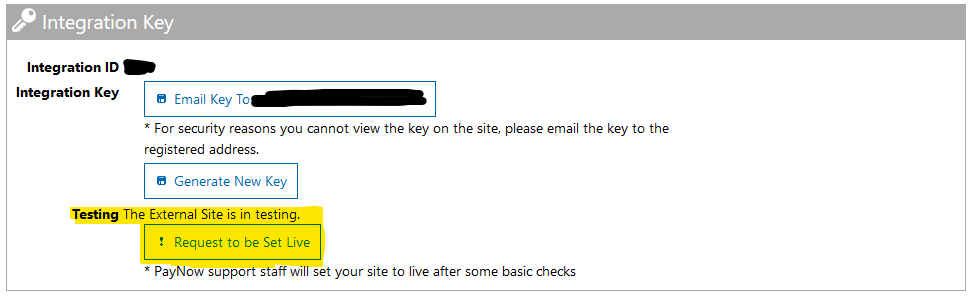
@CelDev Just to add on to what James said, you can request for your integration to be set live by clicking the highlighted button in your integration settings page as seen here:
seamminex
#4
Have requested to be set live and is now over a week still no action. Send email, no response. No number to call. What else should I do?
Tapiwa263
#5
Good day. Can you please share your integration ID that you need to be set live on our WhatsApp number +263719900809