Running
Paynow - 1.3.5 (Test mode)
WC - 10.3.5
Hi fellow devs/designers. I’m getting the “Please select PayNow payment channel” error. On the first load of the checkout page, I get the “Please select PayNow payment channel” error. If I select a mobile payment option, the phone number/email field does not update to enter the phone number as it should, and even if I select the Paynow option, I still get the error on trying to place the order.
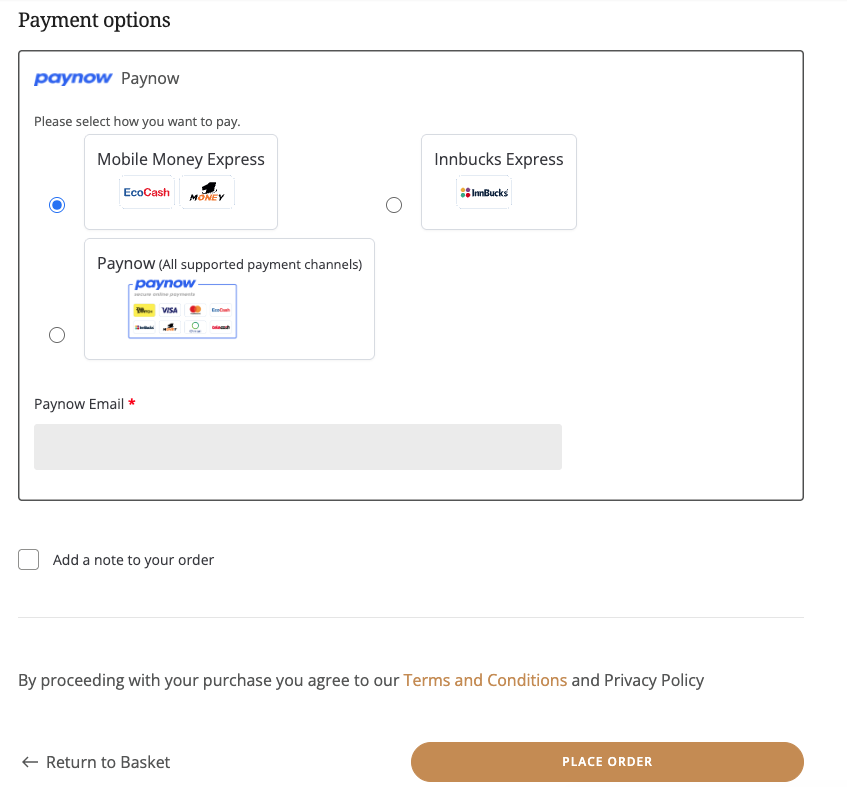
However, if I refresh the page, the selection works for all options and the order is placed successfully.
I’ve tried as suggested from other similar topics and threads for earlier versions (<1.3.5):
- de-activating and re-activating plugin
- updating to latest version
- block and non-block
- added css .paynow_method label > span::before{ content : “” !important; }
*cleared cache with every potential solution
Kindly asking for help with this. Any suggestions most welcome.